Imagine that your cloud environment has some Virtual Machines on Microsoft Azure that are used for heavy load from Data Analysts.
Imagine these Virtual Machines have a public IP Address.
Imagine they expose a RDP port to allow connections.
To enhance Azure security posture this post will analyze the use of Azure Bastion to detach the direct use of RDP and the exposure of a public IP.
Objectives
- Understand the capabilities of Azure Bastion
- Enhance security in Azure environment
Analysis
Azure Bastion is a service you deploy that lets you connect to a virtual machine using your browser and the Azure portal, or via the native SSH or RDP client already installed on your local computer. The Azure Bastion service is a fully platform-managed PaaS service that you provision inside your virtual network. It provides secure and seamless RDP/SSH connectivity to your virtual machines directly from the Azure portal over TLS. When you connect via Azure Bastion, your virtual machines don’t need a public IP address, agent, or special client software.
Bastion provides secure RDP and SSH connectivity to all of the VMs in the virtual network in which it is provisioned. Using Azure Bastion protects your virtual machines from exposing RDP/SSH ports to the outside world, while still providing secure access using RDP/SSH.
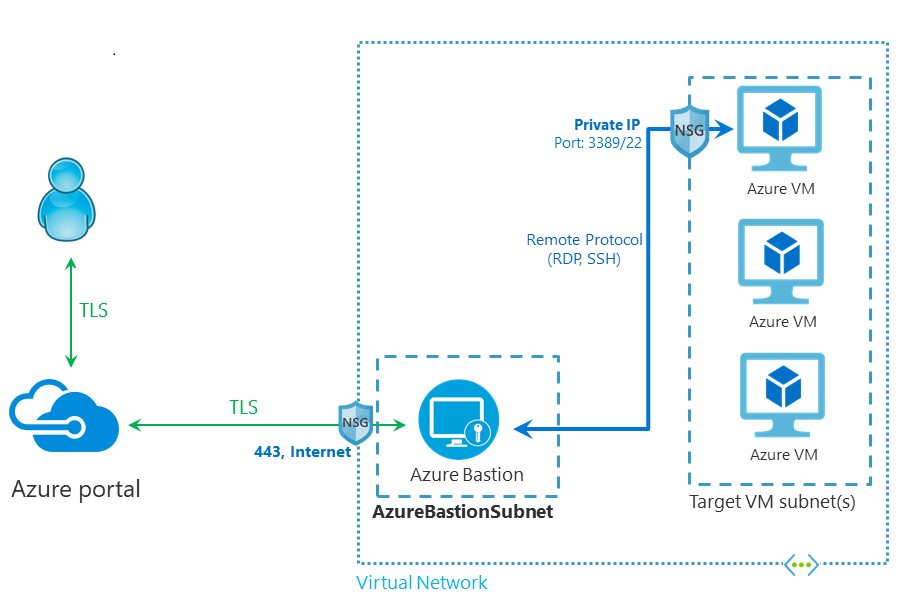
Some of Azure Bastion benefits:
RDP and SSH through the Azure portal
- You can get to the RDP and SSH session directly in the Azure portal using a single-click seamless experience.
- Better auditing also if the virtual machine has single service account: Azure portal access is done through AD/nominal credentials
No Public IP address required
- Azure Bastion opens the RDP/SSH connection to your Azure VM by using the private IP address on your VM.
- No internet exposure of virtual machines
Better management
- You don’t need to apply any NSGs to the Azure Bastion subnet. Because Azure Bastion connects to your virtual machines over private IP, you can configure your NSGs to allow RDP/SSH from Azure Bastion only.
- No need to manage Network Security Groups
Security protection
- Virtual machines are protected against port scanning
- Hardening is centralized
- Zero-trust approach with separation of network level
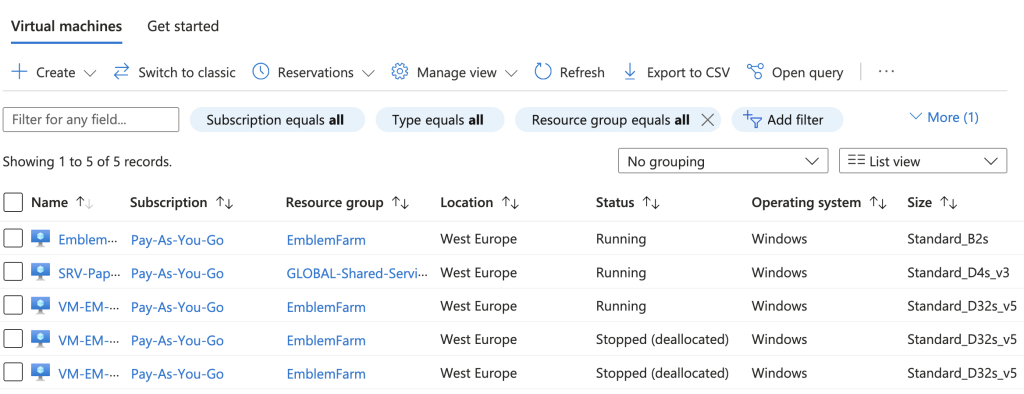
Currently in your cloud environment there are 11 (eleven) Virtual Machines that have RDP exposed to internet (each one of these has its public IP address):
Conclusions
Azure Bastion enhance the security posture of Azure cloud environment, enabling it should not have any impacts on Analysts.
Moreover, with a view to enhancing the Azure infrastructure, it lays the groundwork for better auditing related to the use of that infrastructure.